
ZuploZuplo
LoginSign Up
  • Documentation
  • API Reference
Introduction
Getting Started
    Develop using the Portal
      1 - Setup Your Gateway2 - Rate Limiting3 - API Key Auth4 - Deploy5 - Dynamic Rate LimitingMCP - Quick start
    Develop Locally
      1 - Setup Your Gateway2 - Rate Limiting3 - API Key Auth
Concepts
Development
    CORSEnvironment VariablesBranch-Based DeploymentsTestingTroubleshootingGitOps vs TerraformCustom Code
    Local Development
      QuickstartRoutes DesignerInstalling PackagesZuplo ServicesDebuggingEnvironment variablesTypeScript ConfigTroubleshooting
    Guides
Policies
Handlers
API Keys
MCP Server
MCP Gateway
AI Gateway
Developer Portal
Monetization
Deploying & Source Control
Observability
Networking & Infrastructure
Account Management
Programming API
Build with AI
Zuplo CLI
Migration Guides
Platform LimitsSecuritySupportTrust & ComplianceChangelog
powered by Zudoku
Local Development

Running your Zuplo Gateway locally

You can configure and run your Zuplo Gateway locally on your machine for development purposes using your favorite code editor.

Requirements

  • Node.js 20.0.0 or higher
  • Linux, Mac OS X, Windows, or Windows Subsystem for Linux (WSL)

Getting Started

Create a new project from scratch

  1. Create a new project using

    TerminalCode
    npx create-zuplo-api@latest
    TerminalExpected output:
    cd <your-new-project-directory> npm run dev
  2. Start your local gateway using npm run dev.

  3. Use the local Route Designer to create your first route.

Import your existing project

If you have been using Zuplo using the Zuplo Web Portal, you can import your project into your local machine.

  1. Connect your project to a Git repository from the Zuplo Web Portal. Connect repository
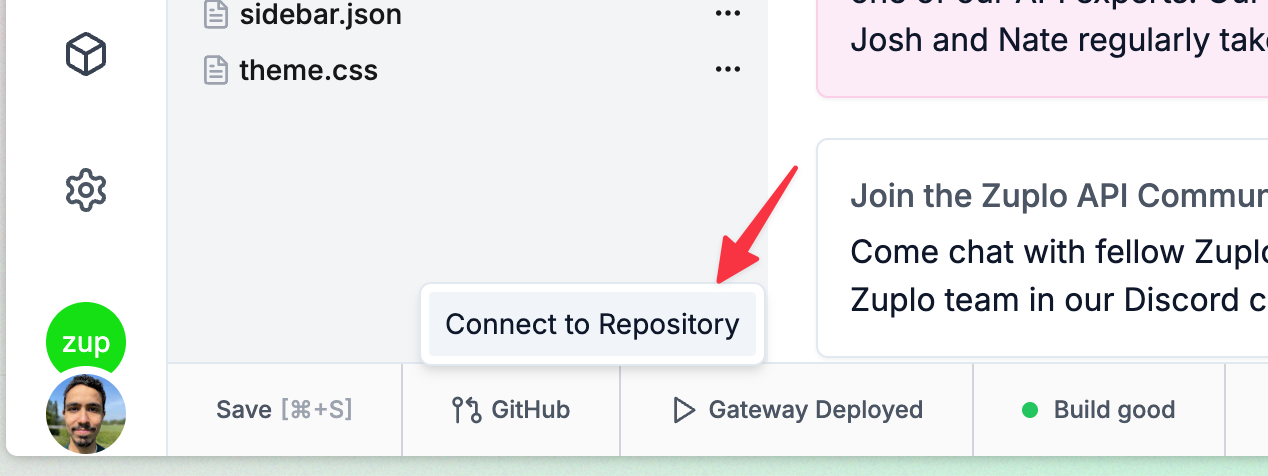
  2. Clone your project from your Git provider to your local machine.

  3. Install the necessary dependencies:

    TerminalCode
    npm install
  4. Start your Zuplo Gateway locally;

    TerminalCode
    npm run dev
  5. Use the local Route Designer to create your first route.

Limitations

While convenient and powerful, not all features of Zuplo are supported while developing locally. The following features are currently not supported when running your Zuplo Gateway locally:

  • Analytics

Next steps

  • Use the local Route Designer to create your first route.
  • Install packages to extend your Zuplo Gateway.
  • Use the API keys service locally to secure your routes.
  • Add environment variables to your project.
Edit this page
Last modified on March 23, 2026
Custom CodeRoutes Designer
On this page
  • Requirements
  • Getting Started
    • Create a new project from scratch
    • Import your existing project
  • Limitations
  • Next steps