
ZuploZuplo
LoginSign Up
  • Documentation
  • API Reference
Introduction
Getting Started
    Develop using the Portal
      1 - Setup Your Gateway2 - Rate Limiting3 - API Key Auth4 - Deploy5 - Dynamic Rate LimitingMCP - Quick start
    Develop Locally
      1 - Setup Your Gateway2 - Rate Limiting3 - API Key Auth
Concepts
Development
Policies
Handlers
API Keys
MCP Server
MCP Gateway
AI Gateway
Developer Portal
Monetization
Deploying & Source Control
Observability
Networking & Infrastructure
Account Management
Programming API
    Overview
    Request & Context
    Configuration
    Caching APIs
    Data Management
    Extensions & Hooks
    Error Handling
    Logging & Observability
    Types and Interfaces
    Web Standards
    Advanced Topics
      Node ModulesCode ReuseRoute Custom DataClone Request/ResponseRuntime Behaviorszp-body-removedZuplo Identity TokenJWT Service PluginOAuth Protected Resource Plugin
Build with AI
Zuplo CLI
Migration Guides
Platform LimitsSecuritySupportTrust & ComplianceChangelog
powered by Zudoku
Advanced Topics

Safely clone a request or response

We often want to read the body of a request or response before forwarding it on to the downwind service or back to the client respectively.
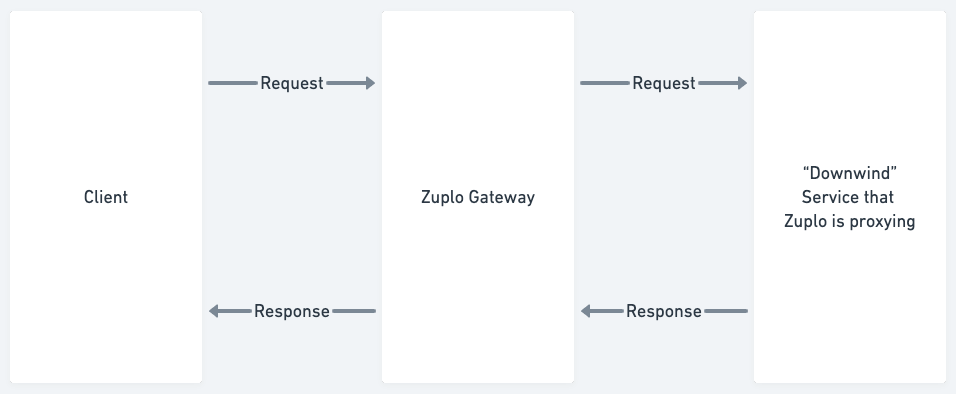
Lifecycle

When doing this inside the Zuplo gateway in a Request Handler, be careful to clone the request or response to avoid causing a body-used exception.

A body-used exception occurs when a .body property of a request or response, which is of type ReadableStream, has already been read. These properties can only be read once and if we pass that same object to fetch (for the downwind call) or return it from a request handler - you’ll get that exception.

Note - you can check to see if a body has already been used by looking at the .bodyUsed property of ZuploRequest and Response.

How to clone the request and response

Let’s imagine we want to log both the request body and response body of a proxied call to a downwind service

Code
export default async function (req: ZuploRequest, ctx: ZuploContext) { // pretend we want to log the request and response body const reqClone = req.clone(); const reqBody = await reqClone.text(); ctx.log.debug(reqBody); // we can now safely re-use this body to call the downstream // service const response = await fetch("https://downwind-url.com/foo/bar", { method: req.method, body: req.body, }); const resClone = response.clone(); const resBody = await resClone.text(); ctx.log.debug(resBody); // we can now safely use the original response return response; }

If you don’t need to read the body - we recommend against cloning the request or response as it will make your gateway more memory efficient and increase performance.

Note - in policies, if you need to read the body we always recommend using .clone() first, as you don’t know what the end request handler might want to do with the originals.

Edit this page
Last modified on March 23, 2026
Route Custom DataRuntime Behaviors
On this page
  • How to clone the request and response
TypeScript