

Share Keys with End Users
Once your API uses API Key Authentication, the next step is getting a key into the hands of each consumer. Zuplo offers three options depending on who creates the key and where the management UI lives.
A consumer is the identity that owns one or more API keys (typically a customer, team, or application). A manager is an email address assigned to a consumer that grants self-serve access. When a user signs in to a Developer Portal with an email matching the manager email, they see that consumer's keys on their settings page.
Pick an option
| Want this experience | Use |
|---|---|
| Quickly create a key for yourself or a teammate during development | Zuplo Portal (admin only) |
| Let consumers self-serve through a Zuplo-hosted UI | Zuplo Developer Portal |
| Build the key management UI inside your own product | Zuplo Developer API |
The rest of this page expands on each option.
The Zuplo Portal (portal.zuplo.com) is your admin dashboard for building and operating your API. The Zuplo Developer Portal is the public, customer-facing site you publish for your API consumers. They are different products and serve different audiences.
Manual key creation (admin only)
This flow is for development, testing, and ad-hoc use only. Creating keys by hand in the admin portal does not scale to a production user base.
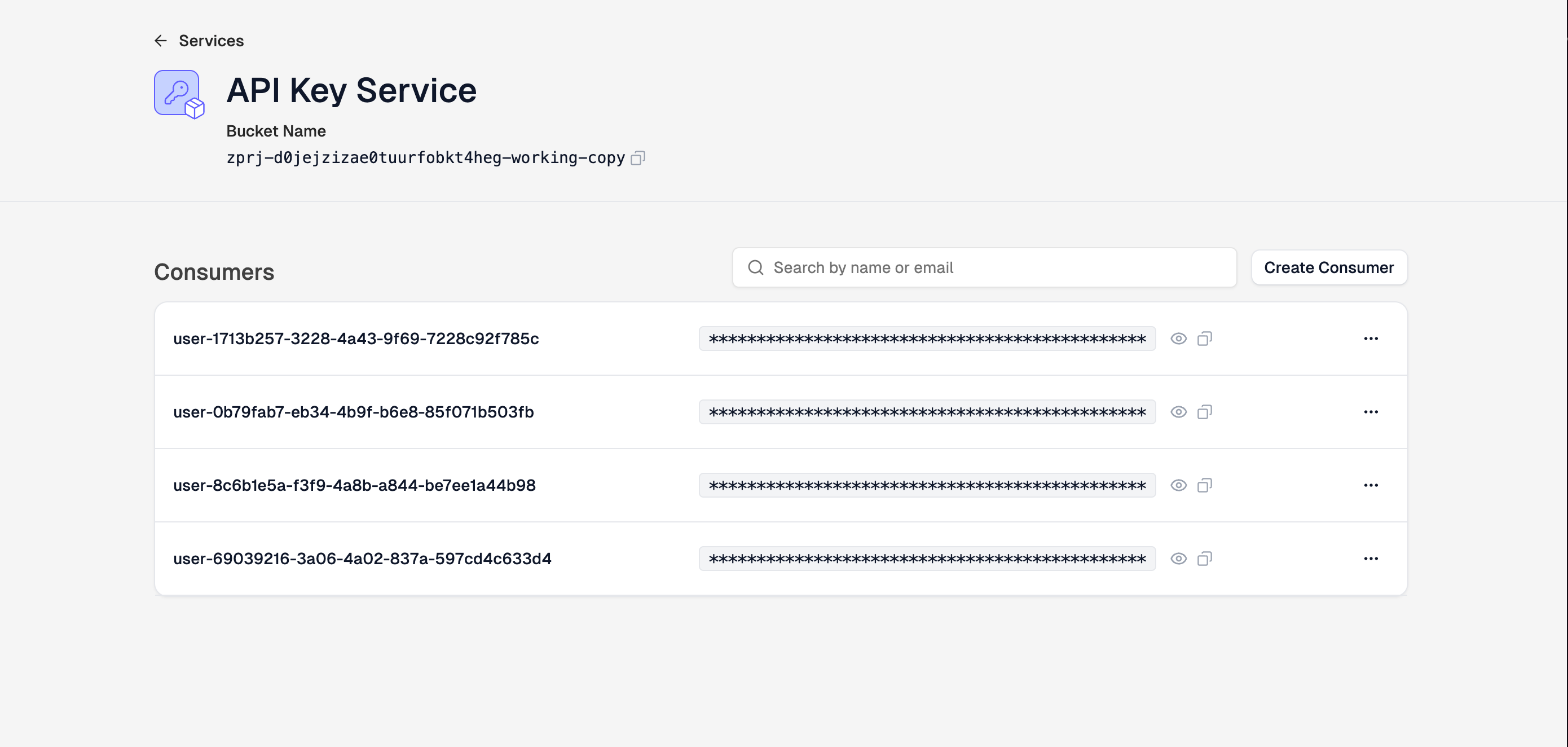
For development or one-off needs, the easiest way to obtain an API key is in the Zuplo Portal. Open your project's Services page, find the API Key Service, click Configure, and you can view existing keys or create new keys for your consumers manually.
Zuplo Developer Portal
If you publish a Zuplo Developer Portal for your API consumers, you can let authenticated users manage their own keys without contacting your team.
By default, a consumer's keys are visible to any signed-in user whose email matches a manager email assigned to that consumer. Consumers can copy and rotate the keys they have access to from the API Keys section of the portal.
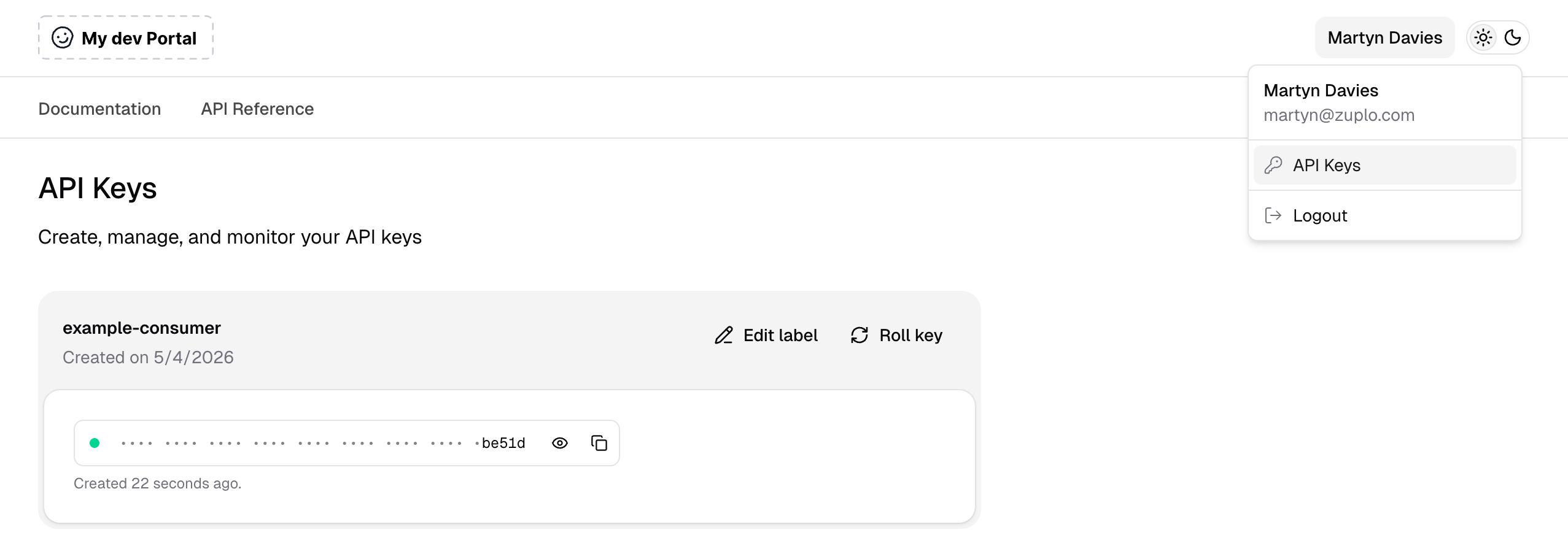
The default Developer Portal does not include a self-serve flow for creating brand-new keys. To enable that you have two options:
- Roll your own self-serve flow. Follow the Dev Portal with API Keys example to add a "Create key" button backed by your own logic.
- Use Zuplo Monetization. Monetization bundles self-serve key creation with plans, metering, and an upgrade flow in one developer portal. Self-serve via Monetization works on free plans during development; production use of Monetization requires a paid Zuplo plan.
Zuplo Developer API
Use the Zuplo Developer API when you want complete control over the experience, for example building an "API Keys" section directly into your product's settings page.
This approach works with any tech stack. Your backend authenticates users with your own auth system, then proxies requests to the Zuplo Developer API to create, list, rotate, and delete keys on their behalf. You control the UI, the access rules, and the onboarding flow.
The Zuplo Developer API is a privileged, backend-only API. It accepts a management token that grants full access to your account's consumers and keys. Never call it from the browser.
To get started:
- Read the Build Self-Serve Key Management walkthrough for architecture, code examples, and security guidance.
- Refer to Use the Developer API and the Zuplo Developer API documentation for the raw endpoint reference once you are implementing specific operations.